Original vs Approved Videos
As any video that gets added into the Standardised Video Library gets processed through our workflow, the Video Library has the unique feature of having two different states for your videos:
- Original - the unprocessed version of the videos added into the library
- Approved - the processed version that has been approved by an Admin or Reviewer for use in the library
The Approved versions of the videos are what you will use the most day-to-day from the Video Library as, depending on your workflow configuration, they will be in the most "production-ready" state. However, the Original versions are useful as a readily-accessible back-up or archive, for when circumstances arise.
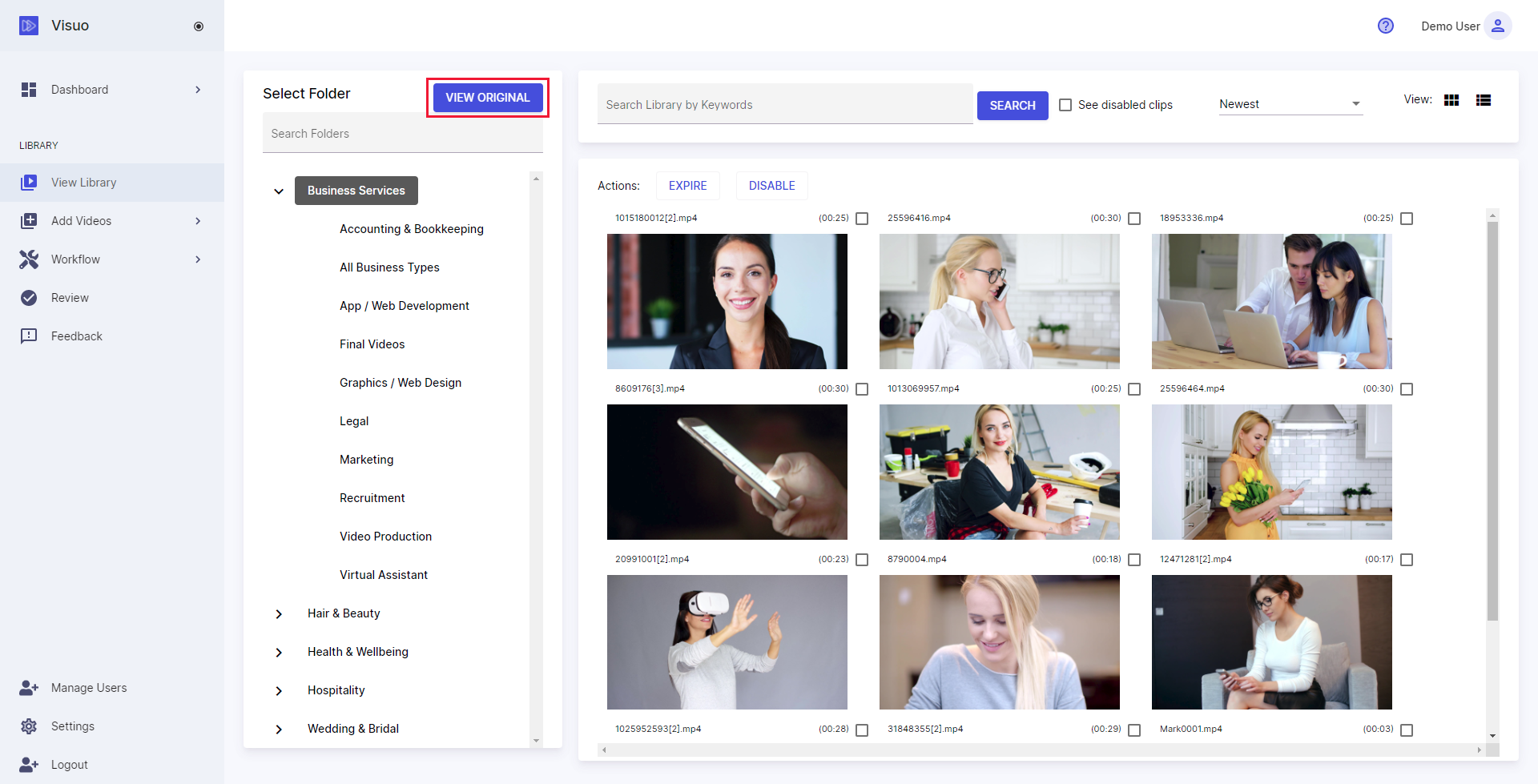
To view the Original version of videos you have added into the Video Library, on the Video Library screen, press the View Original / Approved button to toggle between the different views: